

Most website breaches are not cinematic hacks. They start with a reused password, an unpatched plugin, a hosting account with no extra login check, or a backup that was never tested. Verizon’s 2026 Data Breach Investigations Report puts software vulnerabilities at the start of a large share of breaches; ransomware shows up in nearly half. Microsoft has long reported that phishing-resistant multi-factor authentication (MFA) stops the vast majority of identity-based attacks even when the password is already known.
You do not need a security team of twenty to raise the bar. You need a short list of habits that close the paths attackers actually use: stolen credentials, known bugs, weak hosting, and missing recovery.
Start with identity: passwords, passkeys, and MFA
Passwords remain a shared secret. They can be phished, stuffed from other breaches, or guessed. Current NIST-aligned guidance favors length over clever complexity rules: long unique secrets (often 15+ characters when a password is the only factor), no forced quarterly rotation unless there is evidence of compromise, and a check against known-breached password lists.
Practical rules that work in 2026:
- Use a password manager so every hosting panel, CMS admin, registrar, DNS, email, and payment account gets a unique secret.
- Prefer passphrases you can remember only for the vault itself; let the manager generate the rest.
- Turn on MFA everywhere that can change the site: CMS, hosting, domain registrar, DNS, CDN, email, code repository, and payment dashboards.
- Prefer phishing-resistant options—passkeys, FIDO2/WebAuthn security keys, or platform authenticators—over SMS. Authenticator apps beat SMS; SMS still beats password-only.
- Remove stale users. Least privilege: editors should not be administrators; contractors should not keep access after the project ends.
- Never store reusable secrets in theme files, repositories, or chat. Use environment variables or a secrets manager.
Admin logins are the front door. If that door is only a short reused password, the rest of the checklist is decoration.
Choose hosting that treats security as operations
“Secure hosting” is not a marketing badge. It is a provider that patches servers, isolates accounts, issues TLS certificates, keeps logs, and can restore a site.
When you evaluate or review a host, ask:
- Who applies OS and control-panel patches, and how fast after a critical CVE?
- Are sites isolated (separate users, PHP processes, or containers) so one hacked neighbor is less likely to reach you?
- Is TLS automatic, with HTTP redirected to HTTPS and certificates renewed without you remembering?
- Are backups included, how often, how long retained, and can you restore a single site yourself?
- Is there a WAF / bot filter, DDoS protection, and malware scanning—or a clear way to add them?
- Where are data centers, who can access the account, and how do you open a security ticket?
Managed or reputable platform hosting reduces the patch burden on small teams. It does not remove risk. You still own CMS plugins, application code, user accounts, and DNS. Lock the registrar (registry lock where available). Protect DNS the same way you protect hosting: unique credentials and MFA. A stolen registrar login can reroute the entire domain.
Encrypt the connection: HTTPS is baseline
Serve every page, form, and asset over TLS 1.2 or 1.3. Redirect HTTP to HTTPS. Fix mixed content (images, scripts, or fonts still loaded over http://). After HTTPS is stable on every hostname, enable HSTS so browsers refuse to downgrade.
HTTPS protects data in transit. It does not stop a stolen admin password or an outdated plugin. Treat the lock icon as table stakes, then keep going.
Keep software current—and keep the stack small
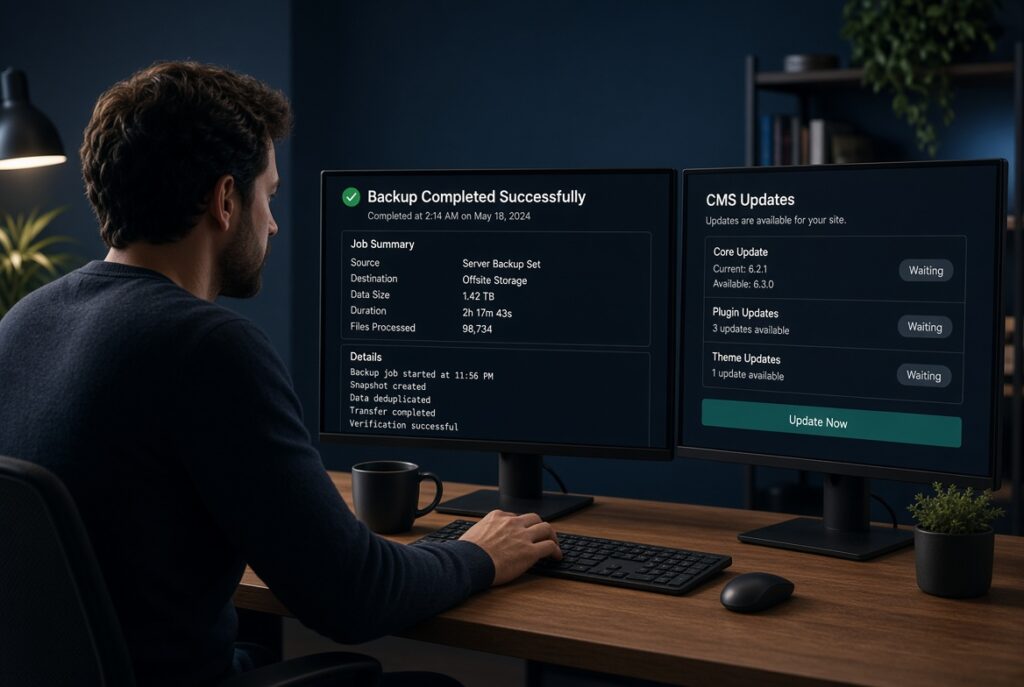
Unpatched CMS cores, plugins, themes, and libraries are a leading entry point. Supply-chain risk now sits high on the OWASP Top 10:2025 list (the version teams still use through 2026): it is not only “forgot to click Update,” but also untrusted packages, abandoned extensions, and unsafe build pipelines.
A workable update routine:
- Inventory every plugin, theme, library, and SaaS embed. Delete what you do not use.
- Apply security releases immediately. Schedule feature updates on staging first for commerce and custom code.
- Turn on automatic updates for core and trusted plugins when your host and workflow allow it.
- Run npm audit, composer audit, or the equivalent on application projects; keep an SBOM if you ship custom software.
- Install extensions only from vendors you can name and that still ship patches.
- Test major updates on a staging copy. Take a backup before you update production.
Abandoned plugins are liabilities. One unused gallery add-on with a public CVE is enough.
Harden the site you already have
Decide: refresh, reA few configuration choices block entire classes of abuse:
- Change default admin URLs only as a minor speed bump; rate-limit and MFA matter more.
- Disable directory listing and PHP execution in upload folders.
- Use parameterized queries and server-side validation; never trust form input.
- Set security headers: HSTS, X-Content-Type-Options: nosniff, a sensible Referrer-Policy, Permissions-Policy, and a Content Security Policy you tighten over time.
- Mark session cookies Secure, HttpOnly, and SameSite.
- Put a WAF and bot controls in front of login, checkout, and APIs.
- Limit XML-RPC, unused APIs, and public admin interfaces to known IPs when you can.
OWASP still ranks broken access control and misconfiguration at the top. Check that users cannot hit other people’s records by changing an ID in the URL, and that debug mode, default keys, and sample files are gone from production.
Backups and recovery beat a perfect firewall
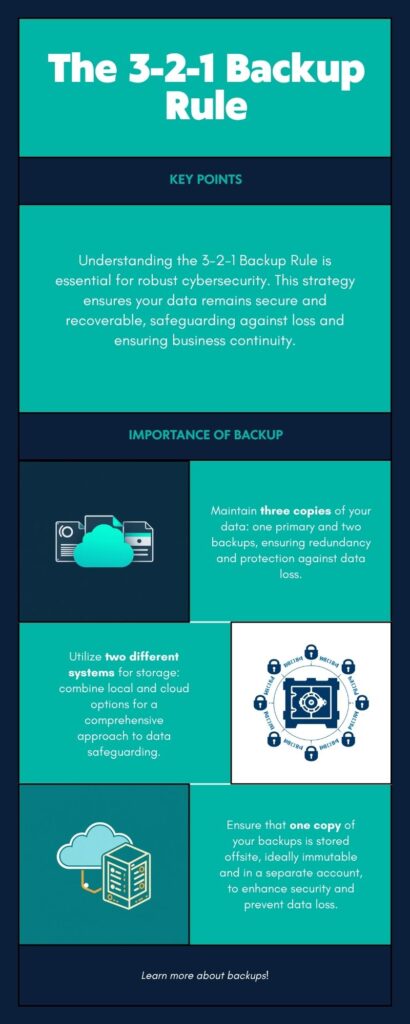
Assume something will fail. Use a 3-2-1 pattern: three copies, two different media or systems, one copy off the production host (ideally immutable or in an account attackers cannot reach with the same stolen password). Encrypt backups. Test a restore on a schedule—an untested backup is a hope, not a control.
Know who to call if the site is defaced: host, DNS, payment provider. Keep an offline copy of those contacts.
Watch the site after launch
Turn on logging for admin logins, file changes, and server errors. Alert on spikes, new admin users, and unexpected outbound connections. Scan for malware and unexpected file changes. Review access quarterly. Phishing training for anyone with a login is cheap compared with a wired invoice or a hijacked mailbox that resets every password.
Also lock down email authentication (SPF, DKIM, DMARC) so attackers cannot send “your site” messages as easily. Many incidents start in the inbox, not in the theme.
A short checklist you can reuse
- Unique long passwords in a manager; MFA or passkeys on every critical account
- Least privilege; unused accounts removed
- Host with patching, isolation, TLS, logs, and tested backups
- HTTPS everywhere, no mixed content, HSTS when ready
- CMS, plugins, themes, and libraries updated; unused code gone
- Security headers, cookie flags, WAF / rate limits
- Secrets out of the repo
- 3-2-1 backups, restore tested
- Registrar and DNS locked down
- Monitoring and a simple incident path
Conclusion
Strong passwords (and, better, passkeys plus MFA), hosting that patches and isolates, and a disciplined update habit close the three most common doors. Headers, WAFs, and backups close the ones that remain. None of this is glamorous. All of it is cheaper than rebuilding a compromised store or explaining a customer-data leak.
Put identity, hosting, and updates on a calendar the same way you put content on one. Security maintenance is website maintenance.
Ready to lock the doors attackers actually use?
Teamwork Lab is your partner in powering your online edge—sleek, high-performing sites with identity, hosting, updates, and recovery treated as part of the build, not an afterthought.
Book a free website security assessment and we’ll map the gaps in passwords, MFA, hosting, updates, and backups—then help you close them before they become a rebuild.
Let’s work together to craft your success story.
Love this? Share on your social media and
let’s spread the success together!
Related Services

WEB MAINTENANCE
We keep your site at its best with regular updates, performance optimization, and content refreshes.

WEB SECURITY
Advanced security measures, real-time threat monitoring, and rapid incident response.

WEB CONTENT CREATION
Engaging words, visuals, and stories that captivate your audience and make your brand unforgettable.
Free Downloads
Free Website Audit Checklist
Evaluate your current site and uncover quick wins

Brand Story Worksheets
Rank higher on Google or in any search engine

Social Media Content Calendar
Plan winning posts for Instagram, LinkedIn, Facebook & TikTok